> For the complete documentation index, see [llms.txt](https://motion-studio.mtmograph.com/llms.txt). Markdown versions of documentation pages are available by appending `.md` to page URLs; this page is available as [Markdown](https://motion-studio.mtmograph.com/ae-extension/easing/value-graph.md).
# Value Graph
Value Graph
## Usage
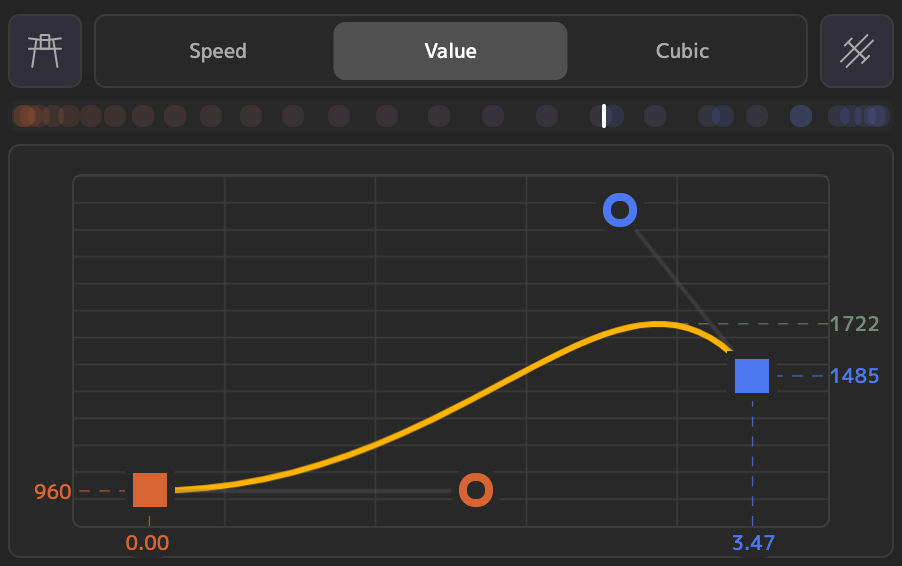
With Motion v4.3.0, we introduced an easing Value Graph. Over the years, this has been one of the most requested features from users writing in to us. Keyframes are represented as squares on the graph, with their keyframe time and value shown on the X and Y axis, respectively. The shape of the graph, or 'bezier curve' can be modified using the bezier handles attached to each keyframe. If there is any overshoot on the easing graph, we will also show at what value the overshoot peaks.
### Usage - 2 Selected Keyframes
With two property keyframes selected, the value graph shows how the selected property's value changes over time, in between the two keyframes. If more than 2 keyframes are selected (on the same, or different properties), the graph will show the easing between the first 2 selected keys. The curve of the graph represents the easing **out** of the first keyframe, and **in** to the second.
### Usage - 1 Selected Keyframe
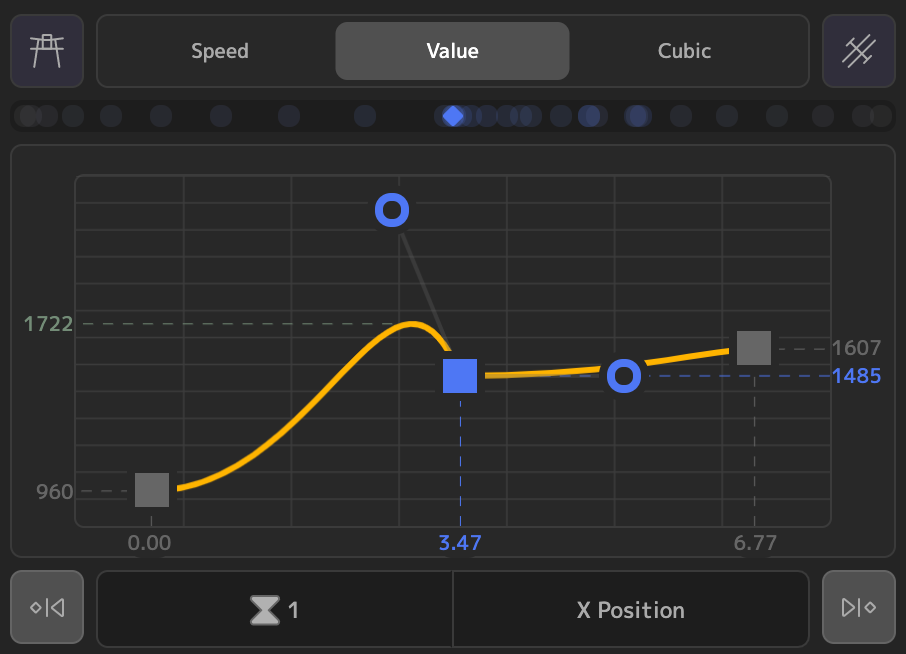
You can also view the value graph for a single selected keyframe. The selected keyframe will appear in the middle of the graph, and each surrounding keyframe (if they exist) will appear in grey on either side. The bezier handles represent the easing into and out of the single keyframe, and both of the pre and post curves are shown as well.
Single Selected Keyframe
## Graph Interactions
In both single-keyframe mode, and in normal mode, there are a few interactions to make your life easier:
1. SHIFT+DRAG the bezier handles to lock the speed at 0. This is pretty self-explanatory, but useful when you don't want any speed in or out at your keyframe.
2. CMD+DRAG the bezier handles to mirror the speed at the keyframe. This interaction 'smooths' out the easing at a keyframe, setting the speed out and speed in to be mirrors of each other.
You can also combine the above interactions to both lock the speed at 0, and mirror it as well.
## Easing Preview
Above the graph is an easing preview. In the case of 2 keys, this shows the easing between the two. For a single key, this shows the easing into and out of the single keyframe, if applicable.